Fix Error 3002 & Error 3200 During iOS 5 Update
A fair amount of users have ran into “Error 3002″ and “Error 3200″ during the iOS 5 update process. It’s not entirely clear what’s causing this, but we’ve been provided with a solution that should work for both Mac and Windows users.
Important: Before proceeding, be sure you have removed any blocks for gs.apple.com from your hosts file!
Remember to check your hosts file too, if you blocked an Apple server or use Sauriks instead in the past for jailbreak purposes, that will cause issues now when you are updating to iOS 5.
Fixing Error 3002 & 3200
You will be restoring to iOS 5 rather than updating, meaning the device will be back to a fresh iOS installation. Be sure you have a backup of the iOS device before you proceed, so that you can then get all your apps and settings back.Important: Before proceeding, be sure you have removed any blocks for gs.apple.com from your hosts file!
- Be sure you have iTunes 10.5 installed
- Download iOS 5 IPSW specific to your device, save it somewhere that is easy to find
- Launch iTunes 10.5 and then…
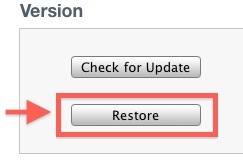
- Mac users: hold down the OPTION key then click on “Restore”, locate the aforementioned IPSW file
- Windows users: hold down the SHIFT key and then click on “Restore”, point iTunes to the downloaded IPSW file
Remember to check your hosts file too, if you blocked an Apple server or use Sauriks instead in the past for jailbreak purposes, that will cause issues now when you are updating to iOS 5.


Hiç yorum yok:
Yorum Gönder